
 Loading...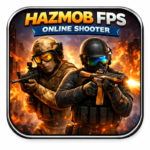
Hazmob FPS: Online Shooter. - Play Online Free on Games Twis is a great pick for players who want quick battles, cool weapons, and nonstop action. The game drops you into multiplayer matches where fast aim, smart movement, and good timing really matter.
With many weapons to try and different game modes to explore, every match feels fresh and exciting. You can jump in, play a fast round, and improve your skills step by step without feeling lost.
It is simple to start but fun to master. Whether you play for a few minutes or longer sessions, Hazmob FPS: Online Shooter keeps you engaged and ready for the next battle.

Table of Contents
What is Hazmob FPS: Online Shooter?
Hazmob FPS: Online Shooter is a multiplayer shooting game built around fast rounds and direct combat. Players can join matches, move across compact maps, and fight in real time with simple keyboard and mouse controls.
The game is made for people who want quick action. You do not need a long setup before your first match. Open the page, load the game, and start playing. This makes it a good fit for users who like instant browser gaming on desktop. The mobile app versions also exist on Android and iOS for players who want the same style on phones and tablets.
Hazmob FPS: Online Shooter uses a class of weapons that many FPS fans already know. Players can unlock more options as they level up. That gives the game a strong reason to keep playing, since each session can help you earn coins, gear, and new setups.
One good point is the mix of action and choice. You can enter random battles, create private matches, or play around different modes based on your mood. Team play, solo pressure, and rank chasing all sit inside the same game, which helps the experience stay fresh over time.
Gameplay Overview of Hazmob FPS: Online Shooter
Hazmob FPS: Online Shooter focuses on quick reflexes, smart movement, and map control. Most fights happen at a fast pace, so staying still for too long is risky. Players who move well, aim with care, and use cover tend to last longer. The maps are built for close and mid-range battles, which keeps the pressure high from start to finish.
The game supports several modes. You can switch from pure kill racing to more objective-based play when you want a different rhythm.
Weapons shape the flow of each match. Fast SMGs work well in tight lanes. Assault rifles are a balanced pick for many players. Shotguns can punish close mistakes. Snipers reward calm aim and good angles. Light machine guns can help hold a zone when you expect enemies to push your position.
Hazmob FPS: Online Shooter also adds missions and rank goals. These systems help players feel steady progress, even when they lose a round.
Where to play Hazmob FPS: Online Shooter is simple. The browser version works on desktop browsers, and the app versions are available for Android and iOS. No install is needed for the browser build, so you can start from the game page and play right away.
How to Play Hazmob FPS: Online Shooter?
Start by opening the game page and loading into a match. New players should avoid rushing in the first minute. Use the opening seconds to learn where the lanes, corners, and cover points are. A calm first round often helps more than an aggressive one.
Move with care and keep your crosshair near doorways and likely enemy paths. This cuts the time needed to react when someone appears. Many beginners aim at the floor while moving. That mistake costs them easy shots.
Pick one weapon style and stay with it for a while. If you switch your plan every round, it becomes harder to improve. A stable loadout helps you learn recoil, range, and the best distance for each fight.
Watch how other players use the map. If one route gets crowded, try a side path. Good flanks can win fights without needing perfect aim. This works well in team modes, where enemy players often focus on the main lane.
Use cover after every burst. Step out, shoot, and step back. Standing in the open makes you an easy target for rifles and snipers. Short peeks are safer than long ones.
Learn from each defeat. If you lose a duel, ask why. Were you too far from cover? Did you reload at the wrong time? Did you enter a room without checking corners? Small fixes build stronger results over many matches.
Quick Start
Open Hazmob FPS: Online Shooter in your browser. Wait for the match to load. Move with the keyboard, aim with the mouse, and fire when you have a clean shot. Keep your first games simple. Focus on movement, cover, and aim.
If you are playing the mobile app, use the on-screen controls and begin with shorter sessions. Turn sensitivity should feel comfortable, not too fast. A steady aim setting is often better than a very high one for new players.
Objectives and Victory Conditions
The objective changes by mode. In Team Deathmatch, you want more team eliminations than the other side. In Free for All, your own kill count matters most. In objective modes, smart positioning can matter more than chasing every fight.
Score growth comes from good play over time. Kills, wins, missions, gifts, and progress systems help you earn coins or other rewards that can support your next upgrades or purchases in the game economy.
You “win” in Hazmob FPS: Online Shooter by combining aim, timing, movement, and map knowledge. A player with average aim can still do well by choosing safe angles and helping the team at the right moment.
Controls
The web version of Hazmob FPS: Online Shooter has a control setup that is easy to learn. The listed desktop controls cover movement, aiming, skills, crouching, running, and weapon switching.
Keyboard and Mouse
Use WASD to move and Space to jump. Use the mouse to look around. Left mouse fires your weapon. Right mouse or V aims. Shift lets you run, and C lets you crouch.
Use 1, 2, 3 to switch weapons. Use 4, 5, 6 for skills, and E and Q for extra skill actions. G picks up a gun, and P opens leaderboard, pause, and settings. Example: after winning a duel, press G to grab a stronger weapon if one drops nearby.
Touch Controls (Mobile)
On mobile, the game uses on-screen controls common to FPS games. One side is used for movement, and the other side handles aim, fire, and extra actions. Short taps are useful in close fights, while smooth swipes help when tracking moving targets.
Keep your thumbs relaxed and do not drag too far across the screen at once. Small corrections help more than large, wild turns. On phones, lower visual clutter and a stable grip can improve your accuracy.
Controller (Gamepad)
The web listing does not publish a full gamepad map. If you use a controller through browser or device support, test your stick sensitivity in a safe match first. You want clean turning without losing fine aim on targets.
A common setup is left stick for movement and right stick for camera control, with trigger buttons for firing and aiming. If the browser build does not detect your controller well, keyboard and mouse will usually give the best result on desktop.
Game Tips and Tricks
Consistency is more important than rushing for flashy kills. In Hazmob FPS: Online Shooter, the best results often come from simple habits. Keep your crosshair at chest or head level, check corners, reload behind cover, and listen for enemy movement if audio is clear.
Tips for Beginners
- Start with one weapon type: Learn its range and recoil before trying many other guns.
- Use cover after each burst: Even one step back can save your life.
- Watch the map flow: Enemy routes become easier to predict after a few rounds.
- Do not chase every enemy: A safe angle is often stronger than a risky push.
- Play short sessions: Tired aim usually gets worse fast.
Advanced Strategies
- Hold crossfire angles: In team modes, two players covering one lane can stop a push with less risk.
- Bait with sound and movement: A short step or fake peek can pull enemies into bad fights.
- Change routes after a kill: Strong players will check the same spot again if you stay there.
- Build for your role: Pick gear and guns that match flanking, holding, or long-range support.
- Use custom matches for practice: This can help you test routes and settings with less pressure.
Features of Hazmob FPS: Online Shooter
Good features keep a shooting game active for longer. Hazmob FPS: Online Shooter combines fast matches, many weapon choices, several game modes, and progress systems that give players a reason to come back.
Main Features
- 55+ customizable weapons: Build a setup that fits your style.
- Multiple game modes: Play team fights, solo rounds, or objective matches.
- Custom matches: Create private sessions with friends or rivals.
- Daily and weekly goals: Earn more rewards through missions and gifts.
- Web and mobile access: Play on browser, Android, or iOS.
What Makes It Special
Hazmob FPS: Online Shooter stands out because it lets players enter quick battles without a long wait. The browser build is simple to access, while the apps give another option for mobile play. This mix helps the game reach both desktop and mobile users.
The weapon pool is also a big part of its appeal. More guns, attachments, and skins mean players can keep testing new setups. When a game offers choice without making the start too hard, it becomes easier for new players to stay with it.
Another strong point is the variety in mode design. You can play for pure action, objective control, or a more careful round style. That helps stop the game from feeling repetitive after a few sessions.
Game Details
- System Requirements: For the browser version, you need a desktop browser and a stable internet connection. No install is required for web play.
- Developer: Hazmob
- Technology: HTML5 (Unity WebGL)
- Release Date: June 2022 on Android, September 2022 on iOS, and February 2024 on web.
- Platform: Web browser on desktop, Android, and iOS.
- Category: Shooting Games and FPS.
Performance and Troubleshooting
If Hazmob FPS: Online Shooter feels slow, refresh the page first. A simple reload can fix a stalled session, missing audio, or a bad match load. This is often the fastest fix for browser games.
Close extra tabs before playing. Heavy tabs can steal memory and make your browser work harder. Full screen mode can also help you focus and may reduce visual distractions during fights.
Check your internet connection if you see lag, delayed shots, or players jumping across the map. A stable connection helps more than anything else in an online shooter. If Wi-Fi is weak, moving closer to the router or switching networks may help.
On PC, hardware acceleration in your browser can improve WebGL game playback on supported systems. If the game feels choppy, test it both on and off to see which setting works better for your device.
On mobile, close background apps and lower your device heat before long sessions. Hot phones can throttle performance. If touch input feels blocked, restart the app and clear other active apps running in the background.
Updates
The web listing shows the last update on October 21, 2025. The Google Play page shows an Android update on January 3, 2026. Players can expect bug fixes, balance changes, and content polish over time.
Is Hazmob FPS: Online Shooter free?
Yes, Hazmob FPS: Online Shooter can be played for free on the web page, and the App Store also lists the app as free. This makes it easy for new players to test the game before spending anything on optional extras.
The iOS listing shows in-app purchases, so it is not correct to say the game has none on mobile. On browser pages, access is free at the point of play. For players who only want a quick session, that low barrier is a big plus.
You also do not need a software install for the browser version. Open the game page, wait for it to load, and start playing. That is one reason browser shooters stay popular with casual users.
Is it safe?
Browser play is usually safer than random downloads because you are not installing unknown files just to try the game. That lowers one common risk for players who only want a quick match.
For mobile, use official stores only. The Google Play page includes a data safety section. Always read store privacy details on your own device before installing.
The safest path is simple: use the official browser host, Google Play, or the App Store. Avoid unknown sites that promise special files, hacks, or fake updates. Those sources can put your device and your account at risk.
If you are a parent, it is worth checking the store age rating and purchase settings on the device before handing the game to a child.
Can you play Hazmob FPS: Online Shooter unblocked?
Yes, you can play Hazmob FPS: Online Shooter unblocked on our website gamestwis.com. Whether you are at school, in class, at work, or on a break, you can enjoy the game without any restrictions and start playing anytime.
Hazmob FPS: Online Shooter unblocked 76
By playing on our website, you do not need to search for Hazmob FPS: Online Shooter unblocked 76, unblocked 66, or unblocked iOS. The version available on our site works on all networks and devices for free, giving you easy and fast access anytime.
Similar Games to Hazmob FPS: Online Shooter
If you’re a fan of Shooting Games, you’ll definitely enjoy these too:
- Krunker.io
- Shell Shockers
- War Brokers
- Forward Assault
Download Hazmob FPS: Online Shooter
Hazmob FPS: Online Shooter is available on official mobile stores for players who want the app version. The browser build remains the easiest option for desktop users who want to play without an install.
On Android: Open Google Play and follow the steps to install the game.
On iPhone/iPad: Go to the App Store and tap “Get” to download it.
FAQ
Can I play Hazmob FPS: Online Shooter in a browser?
Yes, you can play Hazmob FPS: Online Shooter directly in your browser without downloading anything.
Is Hazmob FPS: Online Shooter free to play?
Yes, the game is free to play in your browser, and you can start playing instantly.
Can I play Hazmob FPS: Online Shooter on mobile?
Yes, the game is available on Android and iOS devices through official app stores.
Does Hazmob FPS: Online Shooter have multiplayer mode?
Yes, it is a multiplayer FPS game where you can compete against other players online.
What are the controls in Hazmob FPS: Online Shooter?
You use WASD to move, the mouse to aim, and click to shoot. The controls are simple and easy to learn.
Conclusion
Hazmob FPS: Online Shooter is a fun and easy shooter that gives you quick matches and exciting action. You can jump into the game anytime, test your aim, and enjoy battles with other players. The simple controls make it great for beginners, while the different modes and weapons keep the game interesting for everyone.
Each match helps you get better. You learn how to move, aim, and react faster with every round you play. The game feels fresh because no two matches are the same, and there is always something new to try or improve.
If you enjoy fast shooting games that are easy to start and fun to play, this game is a great choice. Jump in now, test your skills, and don’t forget to explore more shooting games for even more action.