

 Loading...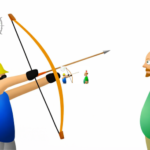
Play Apple Shooter Online for free and test your aim in one of the most exciting archery browser games. Your goal is simple but intense: hit the apple without hurting the person below it. Each shot feels important, and even a small mistake can end your run. This mix of simple rules and real pressure makes Apple Shooter fun for kids and families.
As you keep playing, the distance grows and the challenge gets harder. You must adjust your angle, control your power, and stay calm before every shot. Apple Shooter is easy to understand in seconds, but reaching high levels takes focus and practice. That balance keeps players coming back for more.
No download is needed, and you can play directly in your browser on any device. Whether you have a few minutes or want to beat your best score, Apple Shooter offers quick fun and strong replay value. Aim carefully, take your shot, and enjoy the challenge.

Table of Contents
- About Apple Shooter
- Gameplay Overview
- How to Play
- Controls
- Tips and Tricks
- Game Features
- Game Details
- Performance and Troubleshooting
- Is Apple Shooter Free?
- Is Apple Shooter Safe?
- Where to Play Apple Shooter Unblocked
- Why Is Apple Shooter So Fun?
- Similar Games
- Download Apple Shooter
- FAQ
- Conclusion
About Apple Shooter
Apple Shooter is a browser skill game built around aim, timing, and control. You play as an archer who must shoot an apple from a person’s head without missing the target. The idea is easy to understand, which makes the game friendly for kids, teens, and adults. The tension starts right away, and one small mistake can end the round.
Apple Shooter online stays popular because the rules are short and the action starts fast. You do not need a long setup or a big tutorial. You load the game, line up your bow, and take the shot. That quick start works well for short play sessions at home or on a break.
The game also keeps players locked in by raising the distance after every clean hit. A shot that feels easy at the start becomes much harder a few rounds later. This slow jump in challenge gives Apple Shooter game a strong rhythm. You always feel close to the next success, but one weak shot can stop the run.
Live browser listings describe Apple Shooter as a shooting and archery game that runs on web browsers, including mobile devices on supported sites. Y8 also says the game is free to play in the browser and does not need downloads.
Gameplay Overview of Apple Shooter
Apple Shooter gameplay is built on simple actions. You aim the bow, adjust the shot, and fire. Your main task is to hit the apple and avoid hitting the person below it. That single rule gives the game its full charm. It is easy to follow, but it still asks for care and focus.
The first rounds help you learn the arc of the arrow. You can test power and angle without much pressure. After a few hits, the target moves farther away, and you need finer control. Some live pages also mention added obstacles or harder setups in certain versions, which can make later shots even more tricky.
The game does not waste time. Every shot matters, and restarts are quick. That makes Apple Shooter free browser play a strong fit for players who want fast action. You can play one short run or stay longer and try to beat your best distance.
Apple Shooter online also works well for repeat play because the tension feels fresh every time. Even when you know the goal, your hands still need to stay calm. One clean hit feels great. One bad miss makes you want another try right away.
Many players also like the game because it mixes skill with nerve. You are not just clicking fast. You are reading distance, picking a line, and trusting your shot. That makes each round feel more rewarding than many simple tap games.
Where to Play Apple Shooter: Apple Shooter works on modern browsers and is available on desktop, mobile, and tablet through supported game sites. Browser versions do not need installation, so players can start quickly from the page itself.
How to Play Apple Shooter
Start with a calm first shot. Look at the apple, not the whole screen. Set your angle, check your power, and release with care. The first rounds are the best time to learn how far the arrow travels.
After each hit, the target moves back. That means your next shot needs a new angle and often more force. Do not copy the exact same move from the last round. Small changes work better than wild guesses.
A good early plan is to adjust one thing at a time. If the arrow lands low, raise your aim a little. If the arrow goes over the apple, lower the angle or pull back less. Tiny changes help you read the path better.
Many new players lose because they rush after a good shot. Apple Shooter game rewards patience more than speed. Take a short pause before each release. That small habit can save many runs.
Another common mistake is using too much power. A harder pull is not always the right answer. Longer distance needs the right mix of height and force. A smooth shot often works better than a strong one.
Try to build a steady rhythm. Aim, release, watch the result, then fix the next shot. This pattern makes the game easier to read and helps you stay calm when the distance starts to feel scary.
Quick Start
Open Apple Shooter online in your browser and let the game load fully. Set your first shot with a gentle pull so you can learn the arrow path. Start with control, not force.
Watch where the arrow lands after every try. Use that result to guide the next shot. After two or three rounds, you will start to feel the right balance between angle and strength.
Objectives and Victory Conditions
Your main objective is simple. Hit the apple without hitting the person below it. A clean hit moves you forward, and a miss ends the run.
The game gets harder by pushing the target farther away after each good shot. This creates a clear sense of progress even though the rules stay the same. Each new shot is a small test of control.
Winning in Apple Shooter means going as far as you can without making a bad mistake. Some store text for a mobile port mentions 17 rounds in the classic version, which gives one live version a fixed stage count.
Controls
Apple Shooter controls are easy to learn, which makes the game friendly for beginners.
Keyboard and Mouse
On desktop, current browser pages describe mouse-based aiming and shooting. You hold, aim, and release to fire the arrow. This gives clear control over the shot and helps with small adjustments.
Use slow mouse movement when the target gets farther away. Fast hand movement can throw off your angle. A steady release is often better than a rushed click.
Touch Controls (Mobile)
On mobile, supported browser versions let players use touch input to aim and shoot. Press, drag, and release the shot with care. Y8 states that Apple Shooter can be played on mobile devices as well as desktop computers.
For better mobile control, hold the phone with both hands and keep your thumb movement small. This helps you avoid sudden changes in angle before the release.
Controller (Gamepad)
I could not confirm full gamepad support for the main browser listings I checked. For a clean and safe setup, it is best to treat mouse and touch as the main ways to play Apple Shooter online.
If you play through a platform app that maps touch or mouse input, results may vary by device. For most players, browser controls are the simplest choice.
Tips and Tricks
Good Apple Shooter runs come from steady aim and clear habits. Focus on tiny changes, not huge jumps. Stay calm after each hit and read every arrow before taking the next shot.
Tips for Beginners
- Start soft: Use light power in early rounds so you can read the arrow arc.
- Fix one thing: Change angle or force, but not both at once.
- Take a pause: A one-second stop before release helps avoid panic shots.
- Use full screen: Some live browser versions support full screen, which can help with focus.
- Keep the page clean: Close extra tabs if the browser feels slow.
Advanced Strategies
- Read the landing point: The last arrow gives the best clue for the next shot.
- Build a rhythm: Repeat the same aim process each round for steadier results.
- Favor small corrections: Late rounds punish big changes more than early rounds.
- Stay centered: Keep your eyes on the apple, not the full character model.
Features of Apple Shooter
Apple Shooter keeps its features simple, and that is part of its strength. The game gives quick action, clear rules, and strong replay value.
Main Features
- Easy goal: Hit the apple and move to the next shot.
- Skill-based play: Success depends on aim, timing, and control.
- Short sessions: You can finish a quick run in a few minutes.
- Browser access: Supported sites let you play with no install.
- Mobile support: Some live browser pages confirm phone and tablet play.
What Makes It Special
Apple Shooter stands out because one simple idea creates real tension. You always know what to do, but the shot never feels fully safe. That mix is great for players who like games with clear rules and quick action.
The game also has strong replay value. You can fail fast, restart fast, and try again with a better plan. That loop keeps the game fun even after many runs.
Apple Shooter unblocked style pages are also popular because the game loads quickly and works well for short sessions. It is a strong pick for players who want a direct challenge without a long setup.
Game Details
- System Requirements: You need a device, a browser, and a stable internet connection for browser play. No local install is needed on supported web versions.
- Developer: A current Google Play port is published by HIPP0 and says it uses the original game files by Wolf Games.
- Technology: Live listings describe browser versions as HTML5 or Flash emulated, depending on the site version. {index=13}
- Release Date: CrazyGames lists the game with a 2024 release on its platform page, while the classic game itself is described as an older Flash title in current listings.
- Platform: Browser on PC, mobile, and tablet. Some platform apps also mirror access.
- Category: Archery Games
Performance and Troubleshooting
If Apple Shooter feels slow, refresh the page first. This clears many small loading issues. Then close other heavy tabs and try again.
If the controls feel delayed, use full screen and check that your browser is up to date. Some players also get smoother play by turning hardware acceleration on in the browser settings, then reopening the game tab.
If sound does not work, check the tab mute icon and your device volume. A fresh reload can also bring the audio back.
On mobile, switch to another browser if touch control feels odd. A stable connection also helps if the page is loading extra site elements around the game.
Updates
A live Google Play port shows an update date in 2026. Browser versions may also receive small site-side changes such as better loading, cleaner mobile support, or bug fixes, even when the core gameplay stays the same.
Is Apple Shooter Free?
Browser versions of Apple Shooter are free on some major game sites. Y8 says the game is free to play and runs directly in the browser without downloads.
Mobile store versions can be different. I found one Android port on Google Play listed as paid, so your page should keep browser play and mobile app listings separate. :
Is Apple Shooter Safe?
Apple Shooter browser play is safer when you use trusted HTTPS websites and avoid random download buttons. Browser versions on major portals run inside the page, so there is no extra installer for normal web play.
If you want the app version, use official stores only. Do not trust unknown APK pages. They can place risky files on your device or collect data in ways you do not expect.
One live Google Play port includes data safety information on its store page. Users should still read the current store details before installing any app, because app pages can change over time.
Where to Play Apple Shooter Unblocked
The best place to play Apple Shooter unblocked is a trusted browser site that uses HTTPS and loads the game on the page. That gives you a quick start and avoids risky files.
If a school or work network blocks the site, try another browser or switch to a different connection. At home, browser play is usually the easiest option for smooth access.
Why Is Apple Shooter So Fun?
Apple Shooter is fun because the controls are simple and the pressure starts fast. You know the goal right away, so the action feels clear from the first second.
The game also gives instant retries. You miss, you restart, and you try again with a better plan. That short loop keeps the pace strong and makes each success feel earned.
Progress is also easy to feel. Every clean shot pushes the target farther away, so your next move always matters. This gives the game a strong sense of growth without adding complex rules.
Short sessions are another big plus. You can play for one minute or stay longer and chase a better run. That makes Apple Shooter game a strong pick for quick family fun.
Similar Games to Apple Shooter
If you’re a fan of Shooting Games, you’ll definitely enjoy these too:
- Bowman
- Ragdoll Archers
- Archery World Tour
- The Spear Stickman
Download Apple Shooter
On Android: Open Google Play and follow the instructions to install the game on your device.
On iOS (iPhone/iPad): Go to the App Store and tap "Get" to download and play.
FAQ
Can I play Apple Shooter in my browser?
Yes. Current game pages show browser support on desktop, phone, and tablet for supported versions.
Is Apple Shooter free?
Browser versions on some major sites are free to play. One Android store port is paid, so browser and app versions should be treated as separate options.
What are the controls in Apple Shooter?
On desktop, you use the mouse to aim and release the shot. On mobile, supported versions use touch input.
Is Apple Shooter safe for kids and families?
The gameplay is simple, but the theme includes shooting an apple from a person’s head. For safe access, use trusted sites and official stores only.
Can I play Apple Shooter without downloading anything?
Yes, for browser versions on supported sites. Y8 states that the game runs directly in the browser and does not need downloads.
Conclusion
Apple Shooter is a simple game that turns one small idea into a fun and exciting challenge. You only need to hit the apple, but each shot feels important and requires focus. This makes the game easy to play for everyone, while still giving a real test of skill.
The more you play, the better you understand the distance, power, and timing. Each round feels different, and every mistake helps you improve. That is why many players enjoy coming back to Apple Shooter again and again for quick and fun sessions.
If you enjoy games that are easy to start but hard to master, Apple Shooter is a great choice. Try it now, test your aim, and see how far you can go. Don’t forget to explore more fun games on our site and keep playing!