
 Loading...
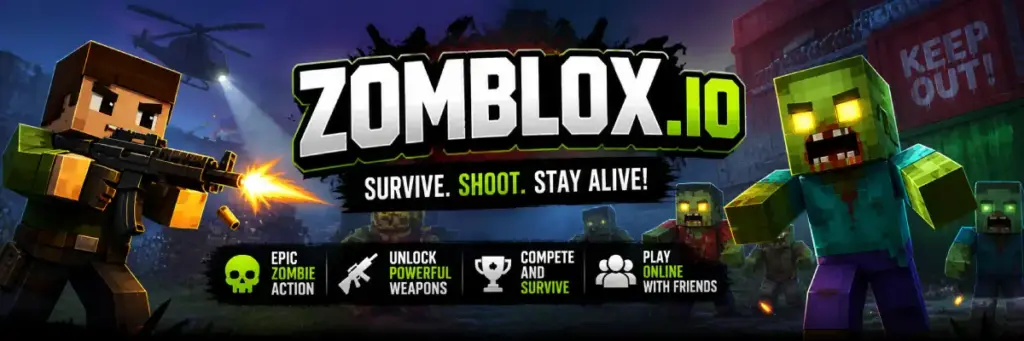
Zomblox.io - Play Online Free on Games Twis is a fast and exciting zombie shooting game that grabs your attention from the first second. You enter a blocky arena filled with danger, where waves of zombies chase you from every side. Each moment feels intense, and every move matters if you want to survive longer.
The game is very easy to start, which makes it perfect for kids and new players. At the same time, it becomes more challenging as you continue playing. You can unlock better weapons, improve your skills, and try different ways to escape zombie attacks.
You can play Zomblox.io directly in your browser without downloading anything. It works smoothly on computers, phones, and tablets. This makes it a great choice for quick fun anytime you want to jump into action.
What is Zomblox.io?
Zomblox.io is a browser shooting game set in a blocky zombie arena. Players move through dangerous areas, fight undead enemies, and collect better gear. The main goal is to survive each attack and keep improving during the match.
The game includes solo survival, co-op play, and player battles. You can face zombie waves alone, team up with friends, or test your aim against other players. This mix makes Zomblox.io exciting for kids, teens, and families.
Zomblox.io is easy to learn because the controls are clear. You move, aim, shoot, reload, and pick up items. The simple setup helps new players start quickly without reading long instructions.
The best part is the replay value. Each run can feel different because weapons, enemies, routes, and player choices change the match. That makes Zomblox.io a strong pick for fans of zombie survival games.
Gameplay Guide of Zomblox.io
Zomblox.io focuses on survival, shooting, and smart movement. Zombies attack from different areas, so standing still can end your run quickly. Good players keep moving while aiming carefully.
Weapons are a big part of the game. You can find guns, use grenades, and switch weapons when needed. Better weapons help you clear zombie groups faster.
Loot boxes can give useful items during the match. Break them when the area is safe. A good item can help you recover from a hard wave.
Co-op mode lets players survive with friends. Teamwork helps when zombies come from many sides. One player can pull enemies away while another clears the path.
PvP and clash modes add extra challenge. You must watch zombies and other players at the same time. Smart aim and quick movement matter even more here.
Where to Play Zomblox.io
You can play Zomblox.io on a computer, phone, or tablet using a modern browser. No installation is needed. Open the game page, press play, and start the match.
How to Play Zomblox.io?
Start by entering the game and choosing your mode. Survival mode is best for new players because it teaches movement, aiming, and weapon use.
Move away from zombies before they get too close. If many enemies surround you, look for open space and create distance.
Aim at zombies while moving. Short bursts can help you stay accurate. Reload when there is space, not when zombies are already near.
Collect weapons and items from the map. Stronger weapons can help you survive later waves. Do not ignore loot boxes when the area is clear.
In co-op mode, stay close to your team. Friends can help clear enemies, protect weak spots, and share safer routes.
In PvP mode, never focus only on zombies. Other players may attack while you reload or run from enemies.
Quick Start
Move with WASD or the left joystick. Aim with your mouse, finger, or right stick. Shoot zombies before they reach your character.
Pick up better weapons as soon as you can. Use grenades only when many zombies are grouped together.
Objectives and Victory Conditions
The main objective in Zomblox.io is to survive and score higher. Each zombie you defeat helps you stay in the match longer.
In survival mode, your best result depends on how long you last. Strong movement and smart weapon use improve your score.
In team modes, success depends on teamwork. Players who stay close and protect each other can survive harder waves.
Controls
Zomblox.io controls are simple and friendly for beginners. You can play with keyboard, mouse, touch screen, or gamepad.
Keyboard and Mouse
- WASD: Move your character around the map.
- Mouse: Aim and look around.
- Left Click: Shoot your weapon.
- R: Reload your weapon.
- Space: Jump over small obstacles.
- 1, 2, 3: Switch weapons.
- 4: Throw a grenade.
- E: Pick up items.
For example, move backward while shooting if zombies run toward you. This gives you more time to aim safely.
Touch Controls Mobile
On mobile, use the left joystick to move. Swipe on the screen to look around and aim at enemies.
Keep your finger movements small and steady. Big swipes can make aiming harder during close fights.
Controller Gamepad
Use the left stick to move and the right stick to aim. Trigger buttons can be used for shooting and actions.
A controller can feel comfortable during longer sessions. Test the buttons first before entering a hard match.
Game Tips and Tricks
To improve in Zomblox.io, focus on movement, aim, and timing. Do not waste ammo, and never let zombies trap you.
Tips for Beginners
- Keep moving: Staying still makes you an easy target.
- Reload early: Reload before enemies get too close.
- Use open areas: Wide spaces help you escape zombie groups.
- Break loot boxes: They can give better weapons and helpful items.
- Stay with friends: Team play is safer in co-op mode.
Advanced Strategies
- Control enemy paths: Move in wide circles to group zombies together.
- Save grenades: Use them when many enemies stand close.
- Switch weapons: Change weapons instead of reloading during danger.
- Use map knowledge: Learn rooms, exits, and safe routes.
- Watch other players: In PvP, enemies may attack during zombie waves.
Features of Zomblox.io
Zomblox.io has many features that make each match fun and easy to replay.
Main Features
- Zombie survival gameplay: Fight waves of undead enemies.
- Multiplayer modes: Play solo, with friends, or against players.
- Loot boxes: Find weapons and items during matches.
- Browser play: Start playing without installing files.
- Mobile support: Play on phones and tablets with touch controls.
What Makes It Special
Zomblox.io stands out because it mixes zombie survival with multiplayer action. You can enjoy solo runs or play with friends.
The blocky look makes the game easy to read. Players can see enemies, items, and movement clearly during busy fights.
Short rounds make the game great for quick breaks. Skilled players can also spend more time mastering routes and weapons.
Game Details
- System Requirements: You only need a browser, internet access, and a device that can run online games. No download is needed.
- Developer: Zomblox.io is listed on some gaming sites as a game by Jetti Games.
- Technology: The game runs with browser technology such as HTML5.
- Release Date: Public game pages list recent updates during 2025.
- Platform: Browser on PC, mobile, and tablet.
- Category: Zombie Games, action games, shooting games, and survival games.
Performance and Troubleshooting
If Zomblox.io feels slow, refresh the page first. This can clear small browser problems.
Close unused tabs before playing. Too many open pages can reduce game performance.
Use a stable internet connection. Wi-Fi problems can cause lag in multiplayer matches.
Enable hardware acceleration in your browser settings when available. Full screen mode can also help the game feel smoother.
If sound or controls stop working, click inside the game area again. Some browsers pause input when you switch tabs.
Updates
Recent updates may include better performance, bug fixes, new items, or map changes. Check the game page often to see what has changed.
Is Zomblox.io free?
Yes, Zomblox.io is free to play in your browser. You do not need to pay before starting a match.
You also do not need an account for basic play. Ads may support the game and help keep access free.
Always play on trusted websites. Avoid pages that ask for strange downloads or personal details.
Is it safe?
Zomblox.io is safer when played directly in the browser. You do not need to install unknown files.
Use secure websites with HTTPS. This helps protect your connection while you play.
Do not download random launchers, APK files, or cheats. These files may harm your device.
Parents can also check the page before children play. This helps confirm that the site is suitable.
Where can I play Zomblox.io without being blocked?
You can play Zomblox.io on trusted gaming sites with stable access and secure pages. Our site helps players start quickly with no download.
If a school or work network blocks the game, try another browser or a personal network. Always follow local rules for device use.
For downloads, use only official sources such as Google Play or the App Store. Untrusted sources may damage your device or risk your privacy.
Why is Zomblox.io so fun?
Zomblox.io is fun because the action starts quickly. You can enter a match and fight zombies in seconds.
The controls feel simple, so players can focus on aiming and surviving. Instant retries make mistakes less frustrating.
Progress comes from better aim, smarter routes, and stronger weapon choices. This gives the game high mastery potential.
Similar Games to Zomblox.io
If you’re a fan of Zombie Games, you’ll definitely enjoy these too:
- Deadshot.io
- Surviv.io
- Zombs Royale
- Krunker.io
Download
Many players who enjoy Zomblox.io like to download the game on their device for a smoother and more comfortable experience than playing in the browser. If your device runs on Android, you can open the Google Play Store, search for Zomblox.io, and press the install button to start playing.
If you are using an iPhone or iPad, simply go to the App Store and tap the install button. The game will be ready in just a few moments, so you can jump into the action quickly.
Some Android users may not have access to Google Play. In this case, you can look for the APK Zomblox.io file and download it directly to your device. Always choose trusted sources to keep your device safe.
If you prefer playing on a computer, you can also check platforms like Steam to see if Zomblox.io is available. Playing on a bigger screen can make the game easier and more enjoyable.
FAQ
What is Zomblox.io?
Zomblox.io is a browser zombie shooting game with survival and multiplayer modes.
Is Zomblox.io free?
Yes,the game is free to play online in your browser.
Can I play Zomblox.io on mobile?
Yes, Zomblox.io supports mobile play with touch controls.
Do I need to download Zomblox.io?
No, you can play the game in your browser with no download.
What are the controls in Zomblox.io?
Use WASD to move, the mouse to aim, and left click to shoot.
Can I play Zomblox.io with friends?
Yes, co-op mode lets you fight zombies with friends.
Does Zomblox.io have PvP?
Yes, some modes let players fight each other.
What is survival mode?
Survival mode challenges you to defeat zombie waves and stay alive.
What are loot boxes used for?
Loot boxes can give weapons, items, or useful upgrades.
Is Zomblox.io safe for kids?
The game has stylized zombie action. Parents should check the site first.
Can I play Zomblox.io offline?
No, the game needs an internet connection.
Why is Zomblox.io lagging?
Lag may come from weak internet, many open tabs, or low device power.
How do I fix sound problems?
Check your browser volume, device sound, and click inside the game area.
Can I use a controller?
Some browsers and devices may support gamepads. Test your controller first.
Does Zomblox.io save progress?
Progress depends on the site version. Some versions may save local data.
Are there different maps?
Yes, some versions include different maps and areas to explore.
What is the best beginner tip?
Keep moving and reload before zombies reach you.
Can I play Zomblox.io on Chromebook?
Yes, it can run on Chromebooks with a modern browser.
Is Zomblox.io unblocked?
Access depends on your network. Some schools or workplaces may block games.
Are updates added to Zomblox.io?
Game pages may receive updates with fixes, items, and performance changes.
Conclusion
Zomblox.io is a fun and simple zombie shooting game that anyone can enjoy. It is easy to start, but it keeps getting more exciting as you play. With its fast action and clear controls, players can quickly learn how to survive and improve their skills.
The game works on all devices and does not need any download. This makes it a great choice for kids and families who want quick and safe entertainment. Each match feels different, which keeps players coming back for more fun.
Start playing the game now and test how long you can survive. Jump into the action, defeat the zombies, and explore more exciting games in our Zombie Games collection.