
 Loading...
CaptchaWare - Play Online Free on Games Twis is a smart and fun puzzle game that tests how fast you think and how sharp your eyes are. Inspired by real captcha challenges, this game turns simple tasks into exciting levels that anyone can enjoy. Each round feels fresh, quick, and easy to understand, which makes it a great pick for kids and families. You do not need to install anything. Just open your browser and start playing. If you enjoy brain games that mix speed, focus, and logic, CaptchaWare is a great way to have fun while keeping your mind active.
[caption id="attachment_1105" align="alignnone" width="945"]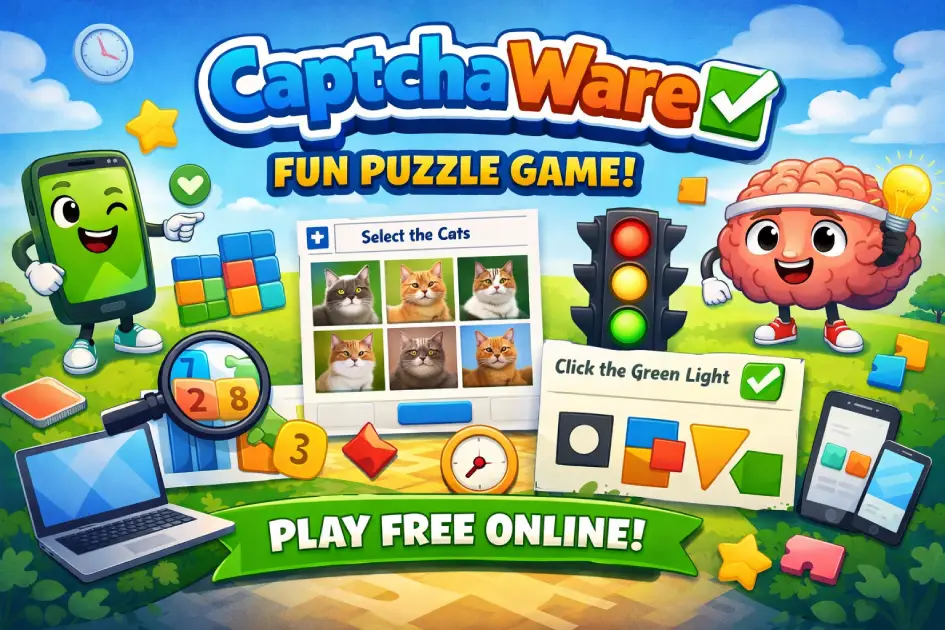 CaptchaWare Game – Play Free Online Puzzle Game
What is CaptchaWare?
CaptchaWare is a browser puzzle game where players solve quick visual challenges. These challenges are inspired by captcha tests but made fun and interactive. The goal is to complete each task correctly and move to the next level.
Each level presents a simple question or visual test. You may need to select images, match shapes, or solve small logic puzzles. The game keeps things easy at first, then slowly increases difficulty.
CaptchaWare is designed for short play sessions. You can play for a few minutes or longer without losing progress. This makes it perfect for quick breaks during the day.
The game focuses on clarity and speed. You must think fast but stay accurate. Mistakes are part of learning, and retrying is quick and simple.
Gameplay Overview of CaptchaWare
CaptchaWare uses simple mechanics that anyone can understand. You are given a task, and you must solve it quickly. Each correct answer gives points and unlocks new levels.
The game becomes more challenging over time. Early levels are slow and simple. Later levels require more attention and faster reactions.
Some levels include bonus rounds. These give extra points if completed quickly. They add excitement and reward skilled players.
There are different types of puzzles. Some test memory, others test logic or pattern recognition. This keeps gameplay fresh and fun.
The game loop is fast. You solve, score, and move on. There is no waiting time between levels, which keeps players engaged.
Where to Play CaptchaWare
You can play CaptchaWare directly in your browser on PC, mobile, or tablet. No installation is required, and it works on most modern devices.
How to Play CaptchaWare?
To play CaptchaWare, start by reading the task shown on screen. Each level gives clear instructions. Follow them carefully before making a choice.
Select the correct option using your mouse or finger. If you are correct, you move to the next level. If not, you can retry quickly.
Focus on speed and accuracy. Rushing too fast may lead to mistakes. Balance both to improve your score.
Watch for patterns. Many puzzles repeat ideas in new ways. Learning these patterns helps you progress faster.
Avoid random clicking. Take a second to understand the task. This improves your chances of success.
Practice regularly. The more you play, the better you become at spotting details.
Quick Start
Open the game in your browser and press play. The first level will guide you with simple instructions.
Follow what is shown on screen. Select the correct answer and continue. Each step becomes slightly harder.
Objectives and Victory Conditions
The main goal is to complete all levels with correct answers. Each level rewards points based on speed and accuracy.
You win by reaching higher levels and improving your score. There is no strict end, but progression is the goal.
Players can challenge themselves by replaying levels. Try to beat your best score each time.
Controls
CaptchaWare has very simple controls that are easy to learn.
Keyboard and Mouse
Use your mouse to click on the correct answers. Some levels may use keyboard keys for quick actions.
Hover over items to inspect them before clicking. This helps avoid mistakes.
Touch Controls (Mobile)
Tap on the screen to select answers. Swipe if needed for some puzzles.
Keep your fingers steady and avoid accidental taps. This improves accuracy.
Controller (Gamepad)
Use buttons to select and confirm choices. Navigate with the joystick.
Controller support feels smooth and responsive during gameplay.
Game Tips and Tricks
Stay calm and focused while playing. Quick thinking helps, but clear vision is better.
Tips for Beginners
- Read instructions before acting.
- Start slow to avoid mistakes.
- Replay easy levels to learn patterns.
- Take breaks to stay fresh.
Advanced Strategies
- Memorize common puzzle types.
- Improve reaction speed with practice.
- Focus on accuracy over speed at first.
- Use rhythm to maintain consistency.
Features of CaptchaWare
CaptchaWare offers simple yet engaging features that make it fun for all players.
Main Features
- Fast puzzle levels: Short and quick challenges.
- Browser-based: Play instantly without download.
- Progressive difficulty: Levels get harder over time.
- Replay system: Improve your scores anytime.
What Makes It Special
CaptchaWare stands out with its simple idea. It turns basic captcha tasks into a fun game.
The short levels make it easy to play anytime. You can enjoy it during small breaks.
The mix of speed and logic keeps players coming back for more.
Game Details
- System Requirements: Works on any device with a browser and internet.
- Developer: CaptchaWare Studio
- Technology: HTML5 browser game.
- Release Date: 2025
- Platform: PC, Mobile, Tablet
- Category: Puzzle Games
Performance and Troubleshooting
If the game feels slow, refresh your browser. This solves most issues.
Close other tabs to improve performance. This frees up memory.
Enable hardware acceleration in your browser settings. This helps graphics run smoothly.
Use full screen mode for better visibility. It improves focus.
Ensure your internet connection is stable. This avoids loading delays.
Is CaptchaWare free?
CaptchaWare is completely free to play in your browser. You do not need to pay to access levels.
There is no registration required. You can start playing instantly.
Ads may appear to support the game. They help keep it free for all players.
Is it safe?
CaptchaWare runs directly in your browser. There is no need to install files.
This reduces risks linked to downloads. Your device stays safe.
The game does not require personal data. You can play without sharing information.
Always play on trusted websites to ensure a safe experience.
Where can I play CaptchaWare without being blocked?
You can play CaptchaWare on our website anytime. The site is secure and works on most networks.
If access is blocked, try another browser or switch networks. This often solves the issue.
Similar Games to CaptchaWare
If you’re a fan of Puzzle Games, you’ll definitely enjoy these too:
- Brain Test
- Brain Out
- 2048
- Cut the Rope
Download CaptchaWare
• On Android: Open Google Play and follow the instructions.
• On iOS: Go to the App Store and search for CaptchaWare.
⚠️ Warning: Only download the game from official stores. Avoid unknown sources, as they may harm your device or data.
FAQ
What is CaptchaWare?
It is a browser puzzle game based on captcha-style challenges.
Is CaptchaWare free?
Yes, you can play it for free in your browser.
Can I play on mobile?
Yes, it works on phones and tablets.
Do I need to download anything?
No, the game runs directly in your browser.
Is it safe to play?
Yes, it does not require downloads or personal data.
Conclusion
CaptchaWare is a simple and fun puzzle game that anyone can enjoy. It mixes quick thinking with easy tasks, which makes every level feel exciting. You can play at your own pace and improve step by step without pressure.
The game works on all devices and does not need any download. This makes it easy to play anytime, whether you are at home or on the go. Its short levels and clear goals make it perfect for kids, teens, and families.
If you enjoy smart and fast puzzle games, CaptchaWare is a great choice to try today. Start playing now and test your skills, then explore more fun games in the same category to keep the adventure going.